
Remote Work Security Mistakes Small Teams Still Make
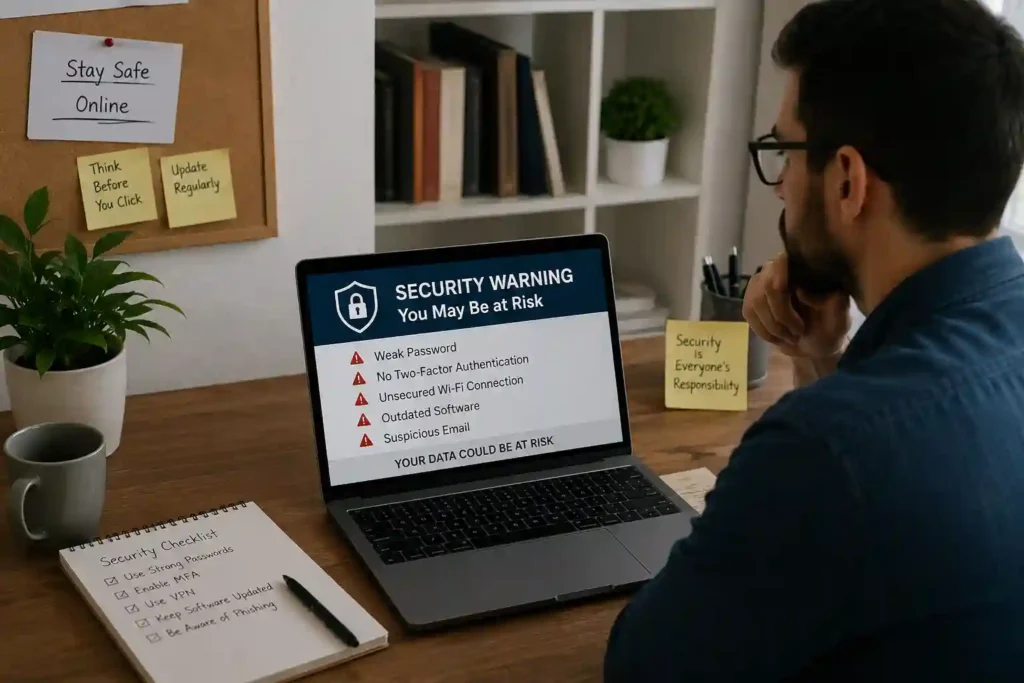
Remote work changed how companies operate, but it also created new cybersecurity problems. Employees now access company systems from homes, cafes, and shared spaces instead of secure office networks. This shift gives hackers more opportunities to steal information through phishing emails, malware, and fake login pages. Many workers also use personal devices that lack strong protection. Small businesses often believe cybercriminals only target large corporations, yet attackers frequently focus on smaller organizations because they are easier to breach. As remote work continues growing, cybersecurity has become one of the most important responsibilities for every team.
How Small Teams Become Easy Targets
Small teams usually lack dedicated cybersecurity departments. Employees often manage several tasks at once, leaving little time to focus on online safety. Hackers know smaller businesses may use outdated software, weak passwords, and unsecured communication tools. A single successful attack can expose customer data, financial records, and confidential documents. Since smaller companies may not recover quickly from financial losses, even one security incident can damage long-term business growth and customer trust.
Why Small Businesses Struggle With Cybersecurity
Limited IT Resources
Many small businesses operate with limited budgets and minimal technical support. Hiring cybersecurity professionals or purchasing advanced security tools can seem expensive for growing companies. Because of these restrictions, important software updates and security monitoring are sometimes ignored. Without proper protection, remote employees become more vulnerable to cyberattacks and data breaches.
Lack of Employee Security Training
Cybersecurity training is often overlooked in smaller organizations. Employees may not recognize suspicious emails, fake websites, or malicious attachments. Hackers regularly use social engineering techniques to trick workers into revealing passwords or sensitive information. Even experienced employees can make mistakes if they never receive proper guidance. Regular training sessions help remote workers identify threats before they become serious problems.
Growing Dependence on Cloud Platforms
Remote teams rely heavily on cloud-based tools for communication, file sharing, and project management. While cloud platforms improve productivity, they also increase cybersecurity risks when used carelessly. Weak account protection and poor access management can expose sensitive company information. Businesses must secure cloud accounts with strong passwords and multi-factor authentication to reduce unauthorized access.
You might also like: Konversky: The Future of AI-Powered Customer Conversations
Weak Password Habits That Create Major Risks
Reusing Passwords Across Accounts
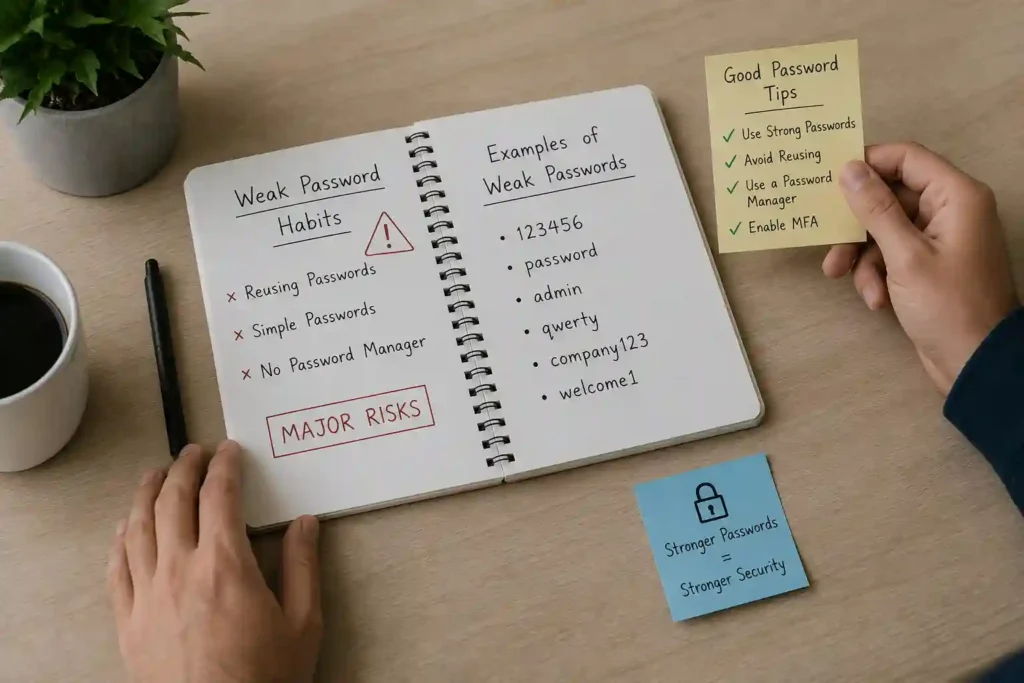
Many employees reuse the same passwords for multiple accounts because remembering different credentials feels difficult. However, if hackers steal one password, they can access several systems quickly. This practice increases the chances of large-scale security breaches and stolen company data.
Using Simple and Predictable Passwords
Simple passwords remain one of the most common cybersecurity weaknesses. Passwords containing names, birthdays, or easy number combinations can be cracked within seconds. Remote workers should create strong passwords using a combination of letters, symbols, and numbers to improve account security.
Ignoring Password Managers
Password managers help employees generate and store secure passwords safely. Despite their benefits, many small teams ignore these tools and continue writing passwords on paper or saving them in unsecured documents. Using a password manager reduces security risks and encourages better password habits.
Unsafe Remote Work Practices Employees Still Follow
Using Public Wi-Fi Without Protection
Public Wi-Fi networks in cafes, hotels, and airports are often unsecured. Hackers can intercept internet traffic and steal sensitive information from connected devices. Employees should always use secure networks or virtual private networks when working remotely.
Downloading Files From Unknown Sources
Cybercriminals frequently hide malware inside fake downloads, attachments, and software updates. Downloading files from unknown websites increases the risk of infected devices and stolen data. Employees should verify sources carefully before opening files.
Sharing Sensitive Data Through Unsecured Apps
Some remote workers use personal messaging apps or unencrypted platforms to share company information. Businesses should encourage employees to use secure communication platforms designed for professional collaboration.
Small teams can reduce cybersecurity threats by improving employee awareness, strengthening password practices, securing cloud accounts, and avoiding risky online behavior. Consistent security training, updated software, and protected communication tools help remote businesses create safer environments and preserve trust.
You might also like: Acamento: The Ultimate Smart Learning Platform
The Dangers of Ignoring Multi-Factor Authentication
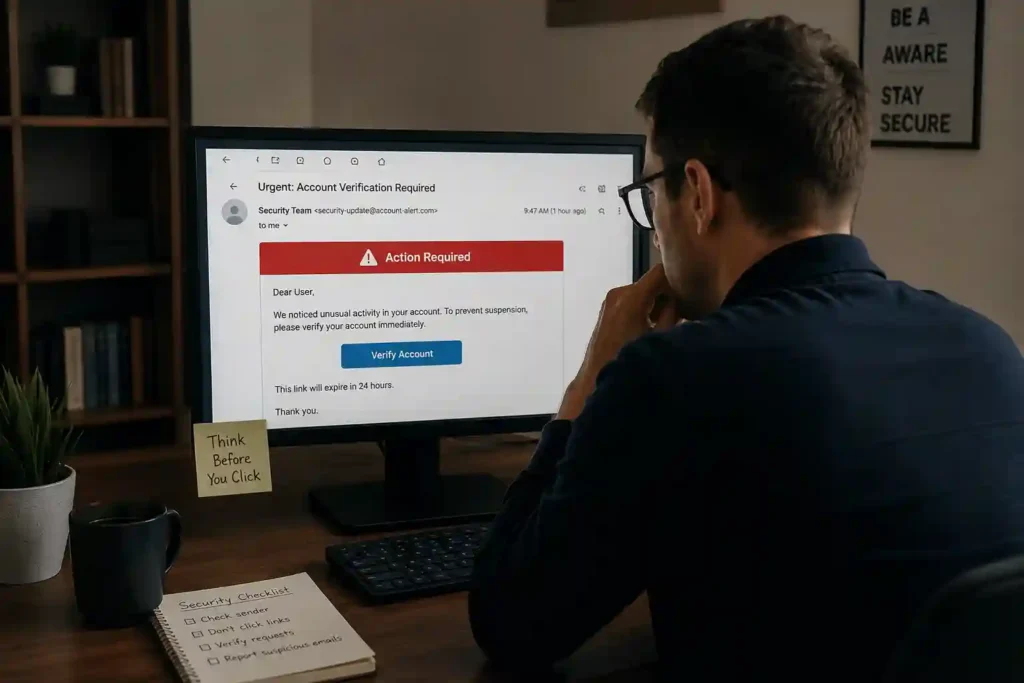
How MFA Protects Business Accounts
Multi-factor authentication, commonly called MFA, adds an extra security layer to business accounts. Instead of relying only on passwords, MFA requires users to verify their identity through additional steps such as mobile codes, authentication apps, or biometric scans. This extra protection prevents hackers from accessing accounts even if passwords become compromised. Remote teams frequently access company systems from different devices and locations, making MFA important for protecting sensitive business information. Companies using MFA reduce the chances of data breaches and unauthorized access significantly.
Common Reasons Teams Avoid MFA
Despite its security benefits, many small teams avoid implementing MFA because they believe the process is inconvenient or time-consuming. Some businesses also think MFA is only necessary for large corporations handling sensitive customer data. Unfortunately, cybercriminals often target smaller companies because they expect weaker security systems. Ignoring MFA leaves business accounts vulnerable to password theft, phishing attacks, and account hijacking.
Best MFA Options for Remote Workers
Several MFA methods help remote workers secure their accounts effectively. Authentication apps provide stronger protection than text messages because they are harder for hackers to intercept. Biometric verification, including fingerprint and facial recognition, adds another reliable layer of security. Businesses should choose MFA solutions that balance security, convenience, and compatibility with remote work systems.
Phishing Attacks Targeting Remote Employees
Fake Emails and Login Pages
Phishing attacks remain one of the most dangerous cybersecurity threats facing remote workers. Hackers create fake emails that appear to come from trusted companies, managers, or coworkers. These messages often contain malicious links directing employees to fake login pages designed to steal usernames and passwords. Remote workers distracted by busy schedules may accidentally share confidential information without recognizing the warning signs.
Social Engineering Tactics Used by Hackers
Cybercriminals frequently use social engineering tactics to manipulate employees emotionally. Attackers create urgency by claiming accounts will be suspended or that important payments require immediate action. Some hackers pretend to be technical support representatives, asking employees to confirm login details. Others impersonate company executives,s requesting sensitive information from remote workers. These manipulation techniques succeed because they exploit trust, fear, and human error rather than technical weaknesses.
Warning Signs Employees Often Miss
Remote employees sometimes overlook suspicious details that indicate phishing attempts. Poor grammar, unusual email addresses, and unexpected attachments often signal fraudulent messages. Requests for passwords or urgent financial transfers should also raise concerns immediately. Businesses should train employees to verify suspicious communications before responding or clicking links.
Why Outdated Software Becomes a Security Threat
Risks of Ignoring Software Updates
Ignoring software updates creates serious cybersecurity risks for remote teams. Software developers release updates regularly to fix security vulnerabilities discovered by researchers and hackers. When employees delay updates, attackers can exploit these weaknesses to install malware or steal sensitive data.
Vulnerabilities in Old Operating Systems
Older operating systems often stop receiving security support from developers. Without protection against modern cyber threats, outdated systems become easy targets for hackers. Remote workers using unsupported software increase the risk of ransomware attacks, unauthorized access, and data loss. Businesses should replace outdated systems.
Importance of Automatic Security Patches
Automatic security patches help businesses maintain safer digital environments. These updates install important fixes quickly without relying on employees to remember manual updates. Enabling automatic updates ensures remote devices remain protected against newly discovered threats and vulnerabilities.
Remote Device Security Mistakes Small Teams Make
Using Personal Devices for Work
Many remote employees use personal laptops and smartphones for business tasks. Personal devices often lack strong security settings and may contain unsafe applications. Mixing personal and professional activities increases cybersecurity risks significantly.
Lack of Antivirus Protection
Antivirus software helps detect malware, ransomware, and harmful files before they damage systems. Small teams sometimes avoid antivirus protection to reduce costs, leaving remote devices exposed to cyber threats.
Poor Mobile Device Security
Mobile devices store emails, passwords, and sensitive company data, yet many employees fail to secure them properly. Weak passcodes, missing updates, and unsecured applications make smartphones attractive targets for cybercriminals. Strong cybersecurity habits protect remote teams from cyberattacks.
You might also like: Future of Remote Work Technology and Digital Innovation
Best Cybersecurity Tools for Remote Teams
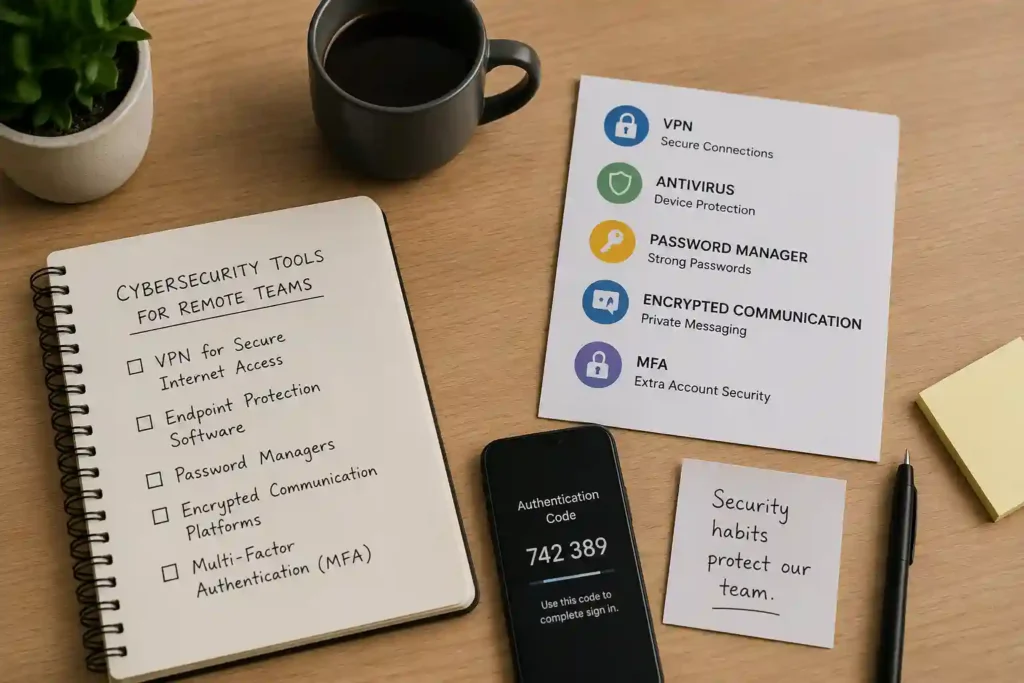
VPNs for Secure Internet Access
Virtual private networks, commonly called VPNs, help remote workers create secure internet connections outside office environments. VPNs encrypt online traffic, preventing hackers from intercepting sensitive information such as passwords, emails, and financial records. Employees using public Wi-Fi in cafes, airports, or hotels face greater cybersecurity risks without VPN protection. Small businesses can improve remote security by requiring employees to connect through trusted VPN services whenever accessing company systems or confidential files.
Endpoint Protection Software
Endpoint protection software secures laptops, smartphones, and tablets used by remote employees. These tools detect malware, ransomware, suspicious downloads, and harmful applications before they damage systems or steal company information. Many endpoint security programs also monitor unusual activity and block unauthorized access attempts automatically. Small teams benefit from endpoint protection because remote devices frequently operate outside secure office networks.
Encrypted Team Communication Platforms
Remote teams rely heavily on communication platforms for messaging, meetings, and file sharing. Encrypted communication tools protect conversations and sensitive documents from unauthorized access. Without encryption, cybercriminals may intercept valuable company information during online communication. Businesses should choose collaboration platforms offering strong security settings, access controls, and data protection features.
How Small Teams Can Build a Security-First Culture
Creating Clear Security Policies
Clear cybersecurity policies help employees understand safe online practices and company expectations. Businesses should establish rules covering password management, software updates, file sharing, and remote device usage. Written guidelines reduce confusion and encourage consistent cybersecurity behavior among remote workers.
Encouraging Employee Accountability
Every remote employee plays an important role in maintaining cybersecurity. Businesses should encourage workers to report suspicious emails, unsafe websites, and unusual account activity immediately. Accountability improves when employees understand their actions directly affect company security.
Running Regular Security Awareness Sessions
Cybersecurity threats change constantly, making regular employee training essential for remote teams. Security awareness sessions teach workers how to identify phishing attempts, avoid unsafe downloads, and recognize suspicious online behavior. Short training sessions improve employee confidence while reducing costly security mistakes.
Future Challenges in Remote Work Cybersecurity
AI-Powered Cyber Threats
Artificial intelligence is helping businesses improve security, but cybercriminals also use AI to create advanced attacks. Hackers can generate convincing phishing emails, fake videos, and automated scams using artificial intelligence tools. Small businesses must stay informed about evolving cyber threats.
Rising Ransomware Attacks
Ransomware attacks continue to increase against businesses of every size. Cybercriminals lock company systems or steal sensitive data before demanding payment for recovery. Remote workers using unsecured devices or weak passwords create opportunities for ransomware infections.
The Shift Toward Zero-Trust Security
Zero-trust security models require employees and devices to verify their identity before accessing company resources. This approach limits unauthorized access and strengthens protection for remote teams. Businesses adopting zero-trust strategies reduce the chances of cybersecurity threats damaging systems or stealing data.
You might also like: Primerem: The Trusted Platform for Innovative Content Solutions
FAQs
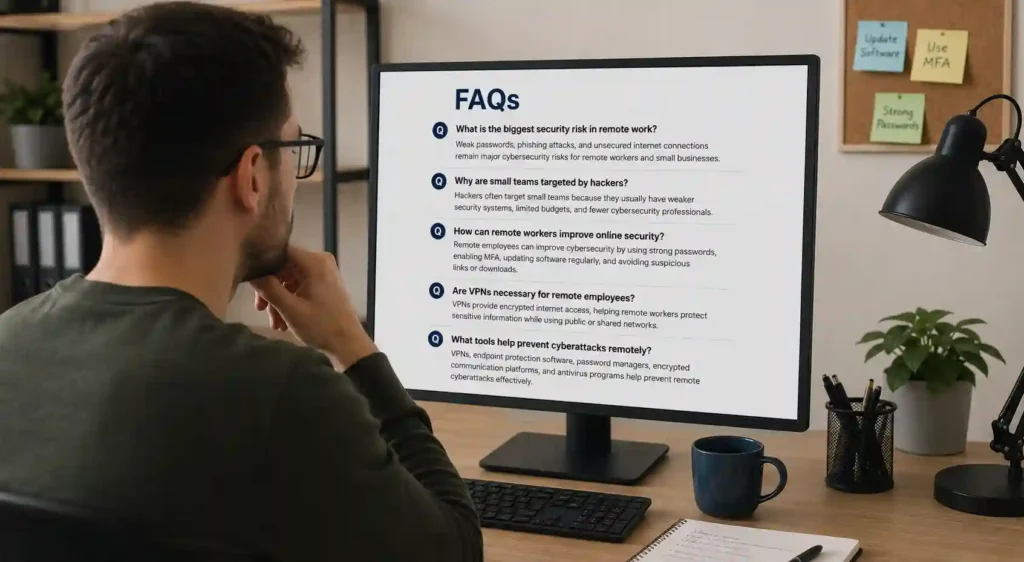
What is the biggest security risk in remote work?
Weak passwords, phishing attacks, and unsecured internet connections remain major cybersecurity risks for remote workers and small businesses.
Why are small teams targeted by hackers?
Hackers often target small teams because they usually have weaker security systems, limited budgets, and fewer cybersecurity professionals.
How can remote workers improve online security?
Remote employees can improve cybersecurity by using strong passwords, enabling MFA, updating software regularly, and avoiding suspicious links or downloads.
Are VPNs necessary for remote employees?
VPNs provide encrypted internet access, helping remote workers protect sensitive information while using public or shared networks.
What tools help prevent cyberattacks remotely?
VPNs, endpoint protection software, password managers, encrypted communication platforms, and antivirus programs help prevent remote cyberattacks effectively.
Conclusion
Remote work offers flexibility and productivity, but it also increases cybersecurity risks for small businesses. Strong security tools, employee awareness, updated systems, and secure communication platforms help remote teams reduce vulnerabilities effectively. Businesses that prioritize cybersecurity training and protective technologies create safer digital environments for employees and customers. As cyber threats continue evolving, remote teams must remain proactive and prepared to protect valuable company information. Consistent monitoring and employee cooperation strengthen cybersecurity defenses for growing remote businesses worldwide.