
Plangud: Smart Planning Platform for Team Workflows Business
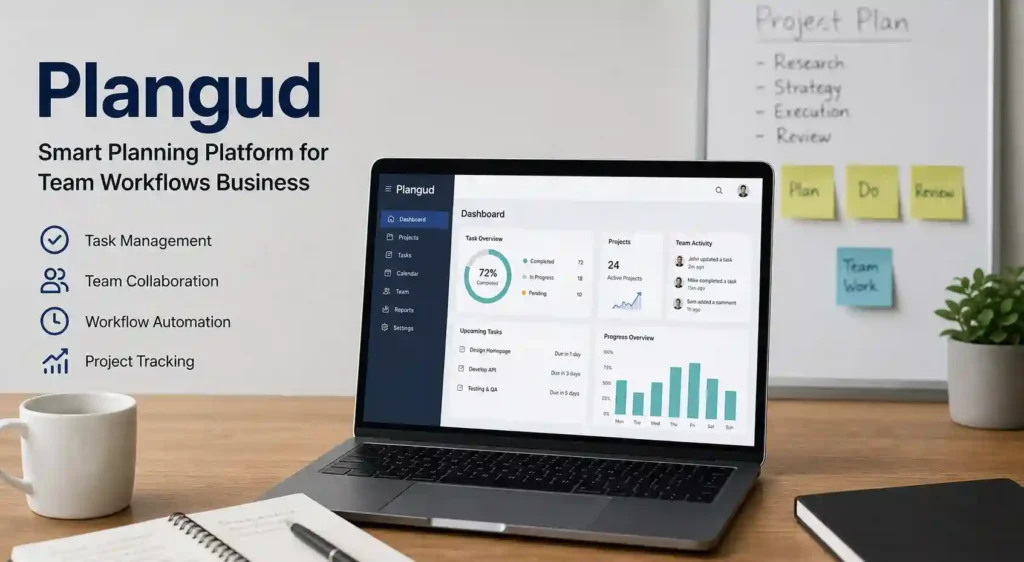
Plangud is a modern planning platform designed to help teams organize tasks, manage projects, and streamline daily workflows. It combines essential project management features with smart automation, making it easier for businesses to stay on track. Instead of juggling multiple tools, users can centralize their work in one dashboard where tasks, deadlines, and team activities are clearly visible. This makes Plangud especially useful for remote teams and growing businesses that need structure without complexity.
How smart planning tools operate
Smart planning tools, such as Plangud, work by automating repetitive processes and organizing data in a structured manner. Users can create tasks, assign responsibilities, and set deadlines, while the platform tracks progress in real time. Automation features reduce manual work by triggering actions such as reminders, status updates, or workflow transitions. These systems rely on intuitive interfaces and data-driven logic to help teams make faster decisions. As a result, teams spend less time managing tasks and more time completing meaningful work.
Who should use Plangud?
Plangud is suitable for a wide range of users, including startups, small businesses, freelancers, and large enterprises. Teams that handle multiple projects simultaneously can benefit the most from their organized workflow system. It is also ideal for managers who want better visibility into team performance and progress. Even individuals looking to improve personal productivity can use Plangud as a structured planning tool. Its flexibility makes it adaptable to different industries, from tech and marketing to education and consulting.
Key Features of Plangud Platform
Task and project management tools
Plangud offers powerful task and project management tools that simplify planning and execution. Users can break projects into smaller tasks, assign them to team members, and track their completion status. Visual boards and lists make it easy to understand project progress at a glance. These tools help teams stay organized and ensure that no task is overlooked.
Workflow automation capabilities
One of the standout features of Plangud is its workflow automation. Users can set rules that automatically trigger actions based on task progress or deadlines. For example, when a task is completed, it can move to the next stage without manual input. This reduces errors, saves time, and ensures consistency across workflows. Automation also helps teams scale their operations without increasing workload.
Real-time collaboration features
Plangud enables real-time collaboration, allowing team members to communicate and work together efficiently. Users can share updates, leave comments, and attach files directly within tasks. This eliminates the need for constant back-and-forth emails and keeps all information in one place. Real-time updates ensure everyone stays aligned, regardless of their location.
You might also like: AI-Powered SaaS Tools Are Transforming Small Businesses
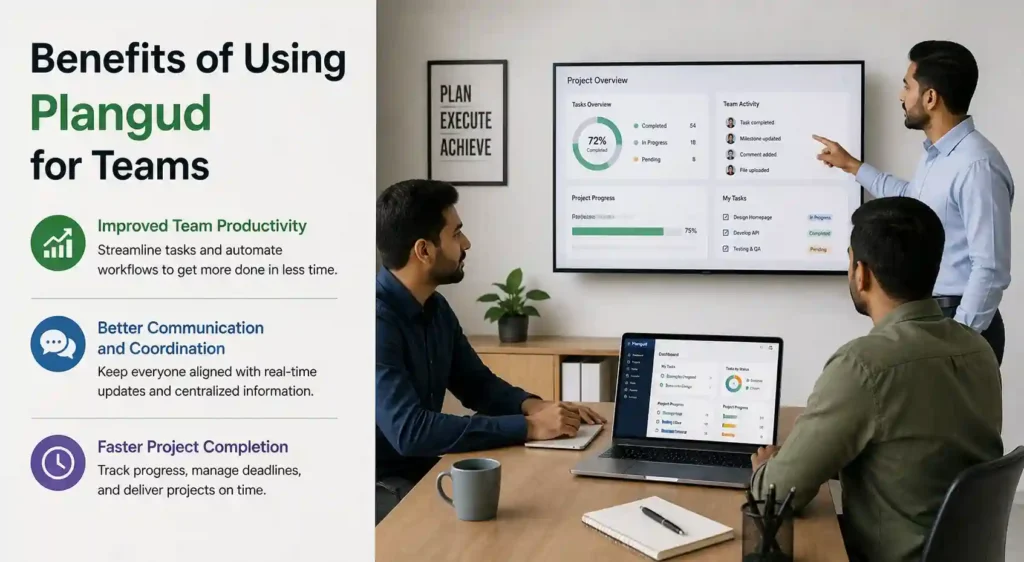
Benefits of Using Plangud for Teams
Improved team productivity
By organizing tasks and automating workflows, Plangud significantly improves team productivity. Employees can focus on high-value work instead of administrative tasks. Clear task assignments and deadlines reduce confusion and help teams stay accountable. As a result, productivity increases without adding extra pressure on team members.
Better communication and coordination
Effective communication is essential for any successful team, and Plangud supports this through integrated collaboration tools. Team members can easily share updates, provide feedback, and track changes in real time. This improves coordination and reduces misunderstandings. When everyone has access to the same information, decision-making becomes faster and more accurate.
Faster project completion
With structured workflows and automation, projects move more quickly from start to finish. Plangud helps teams identify bottlenecks and resolve them before they cause delays. Clear timelines and progress tracking ensure that deadlines are met consistently. This leads to faster project delivery and higher client satisfaction.
Plangud Pricing Plans Explained
Free vs premium plans
Plangud typically offers both free and premium plans to cater to different user needs. The free version includes basic features such as task management and limited collaboration tools, making it suitable for individuals or small teams. Premium plans unlock advanced features like automation, integrations, and enhanced reporting, providing more value for growing businesses.
Pricing for startups and enterprises
Startups can benefit from affordable pricing tiers that offer essential tools without a high cost. As businesses grow, they can upgrade to enterprise plans that include advanced customization, security, and support. This scalability ensures that Plangud remains useful at every stage of business growth.
Is Plangud worth the cost?
Plangud is generally considered worth the cost due to its ability to improve efficiency and reduce manual work. The time saved through automation and better organization often outweighs the subscription expense. For teams looking to streamline workflows and boost productivity, investing in Plangud can deliver long-term value and measurable results.
Plangud vs Other Workflow Tools
Plangud vs Trello comparison
When comparing Plangud with Trello, the main difference lies in flexibility and automation. Trello is widely known for its simple board and card system, which works well for basic task tracking. However, Plangud goes a step further by offering more advanced workflow automation and structured planning features. While Trello focuses on simplicity, Plangud provides deeper control over task dependencies, progress tracking, and reporting. This makes Plangud a better choice for teams that need more than just visual task boards and want a scalable workflow system.
Plangud vs Asana comparison
Plangud and Asana both target teams that require advanced project management capabilities. Asana is known for its detailed task management and timeline views, but Plangud competes by offering a more streamlined and automation-focused experience. Plangud simplifies complex workflows by reducing manual input and allowing users to automate transitions between tasks. While Asana may feel overwhelming for new users due to its extensive features, Plangud maintains a balance between power and ease of use, making it suitable for both beginners and experienced teams.
Unique advantages of Plangud
Plangud stands out due to its strong focus on smart planning and automation. Unlike many traditional tools, it reduces the need for constant manual updates by automating repetitive processes. It also provides a centralized workspace where teams can manage tasks, communicate, and track progress without switching platforms. This combination of simplicity, automation, and scalability gives Plangud a unique edge in the competitive workflow management market.
You might also like: Build a Fully Automated Online Business Using AI Tools
User Interface and Experience Review
Dashboard usability
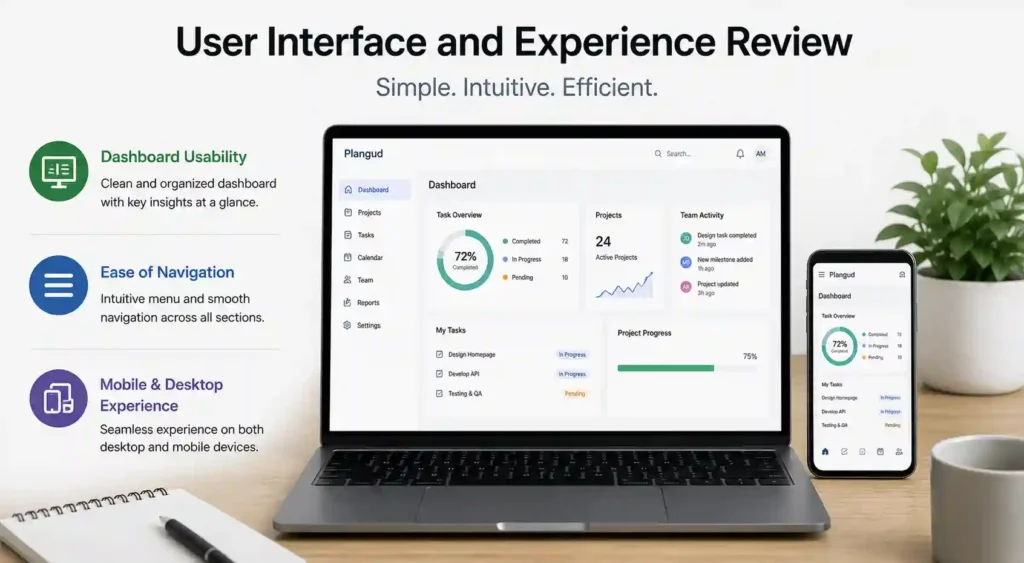
The Plangud dashboard is designed to provide a clear overview of all tasks and projects in one place. Users can quickly see task statuses, deadlines, and team activity without navigating through multiple pages. The layout is clean and well-structured, which helps reduce confusion and improve productivity. Important information is highlighted, allowing users to focus on priorities and make quick decisions.
Ease of navigation
Ease of navigation is a key strength of Plangud. The platform uses an intuitive design that allows users to move between projects, tasks, and settings effortlessly. Even first-time users can understand the system without extensive training. Menus are logically organized, and actions such as creating tasks or assigning responsibilities can be completed in just a few clicks. This user-friendly approach ensures that teams can adopt the platform بسرعة and start working efficiently.
Mobile and desktop experience
Plangud offers a consistent experience across both mobile and desktop devices. The desktop version provides a full-featured interface for detailed planning and management, while the mobile version ensures users can stay updated on the go. Real-time notifications, task updates, and communication tools are accessible on all devices, enabling seamless collaboration regardless of location. This flexibility is especially valuable for remote teams and professionals who need constant access to their workflows.
How Plangud Improves Workflow Efficiency
Automating repetitive tasks
Automation is one of the most powerful features of Plangud. By setting predefined rules, users can eliminate repetitive tasks such as status updates, reminders, and task transitions. Automation ensures that workflows remain consistent and efficient, allowing teams to focus on more strategic work instead of routine operations.
Managing deadlines effectively
Plangud helps teams manage deadlines with greater accuracy and control. Users can set clear timelines, assign due dates, and track progress in real time. The platform provides reminders and alerts to ensure that tasks are completed on schedule. By visualizing deadlines and dependencies, teams can identify potential delays early and take corrective action before issues escalate.
Enhancing team accountability
Accountability is essential for successful teamwork, and Plangud supports this by clearly assigning tasks and tracking performance. Each team member knows their responsibilities and deadlines, which reduces confusion and increases ownership. Managers can monitor progress and identify areas where support is needed. This transparency fosters a culture of responsibility and encourages teams to stay committed to their goals.
Integrations and Compatibility Options
Popular third-party integrations
Plangud integrates with a variety of popular third-party tools to enhance functionality. These integrations allow users to connect their existing systems, such as communication platforms, file storage services, and productivity tools. By linking these tools, teams can streamline their workflows and avoid switching between multiple applications.
CRM and SaaS compatibility
Compatibility with CRM and SaaS platforms makes Plangud a versatile solution for businesses. It can be integrated with customer relationship management systems to align project workflows with customer data. This ensures that teams have access to relevant information while managing tasks, improving both efficiency and customer satisfaction.
API and automation support
Plangud also offers API access and advanced automation support for businesses with specific needs. Developers can create custom integrations and automate complex processes based on their requirements. This level of flexibility allows organizations to tailor the platform to their workflows, making Plangud a scalable and future-ready solution for modern teams.
You might also like: Smart Ways to Automate Daily Business Tasks with AI
Is Plangud Safe and Reliable
Data protection and privacy
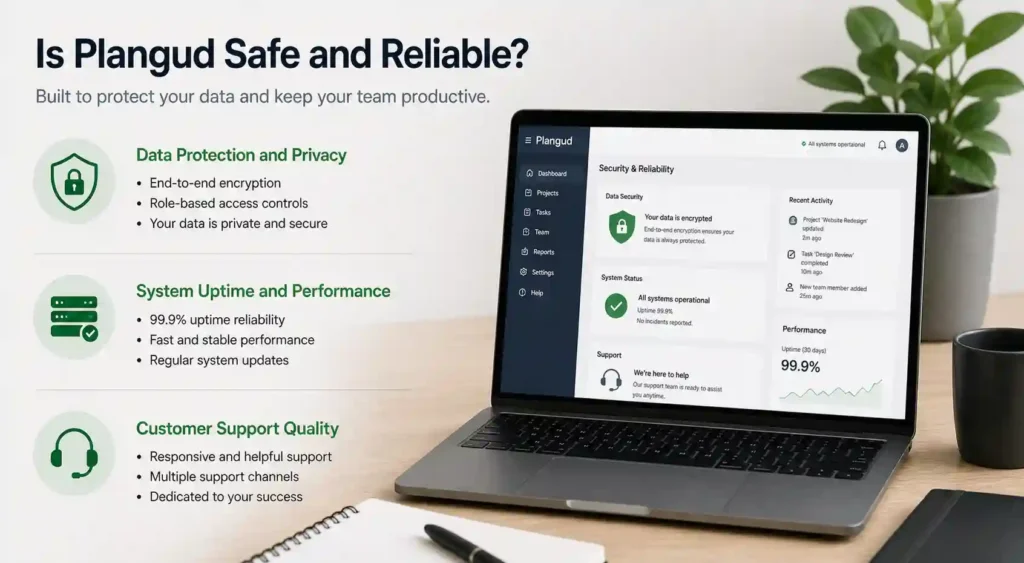
Plangud prioritizes data protection and user privacy, which are critical factors for any modern workflow platform. It uses secure encryption protocols to safeguard sensitive information, ensuring that project data, team communications, and files remain protected from unauthorized access. Additionally, user permissions and access controls allow administrators to define who can view or edit specific data. This layered approach to security helps businesses maintain confidentiality while managing workflows efficiently. For organizations dealing with sensitive client or internal information, such privacy-focused features make Plangud a dependable choice.
System uptime and performance
Reliability also depends on consistent system uptime and smooth performance. Plangud is built on a stable infrastructure designed to minimize downtime and ensure uninterrupted access. Fast loading times and responsive features enable users to manage tasks without delays or technical interruptions. Regular updates and maintenance further enhance platform performance, keeping it optimized for growing user demands. This level of reliability is especially important for teams that rely on real-time updates and continuous workflow management.
Customer support quality
Customer support plays a significant role in determining a platform’s overall reliability. Plangud offers responsive support through multiple channels, including live chat, email, and help documentation. Users can quickly find solutions to common issues or reach out for personalized assistance when needed. The availability of tutorials and guides also helps new users understand the platform more effectively. Strong customer support ensures that businesses can resolve problems quickly and continue their operations without major disruptions.
Pros and Cons of Plangud
Major advantages
Plangud offers several advantages that make it a strong competitor in the workflow management space. Its automation capabilities significantly reduce manual work, saving time and improving efficiency. The platform’s intuitive interface allows users to adopt it quickly without extensive training. Real-time collaboration features enhance communication, ensuring that teams stay aligned on tasks and deadlines. Additionally, its scalability makes it suitable for businesses of all sizes, from startups to large enterprises. These benefits collectively make Plangud a valuable tool for improving productivity and workflow organization.
Potential drawbacks
Despite its strengths, Plangud does have some limitations. Advanced features may require a learning curve for users who are new to workflow automation tools. Smaller teams using the free plan might find certain functionalities restricted, which could limit their experience. Additionally, businesses with highly complex workflows may need custom integrations to fully utilize the platform’s capabilities. While these drawbacks are not major, they are worth considering when deciding if Plangud is the right fit for specific needs.
Real-World Use Cases of Plangud
Managing remote teams
Plangud is particularly effective for managing remote teams. With its real-time collaboration tools, team members can communicate, share updates, and track progress regardless of their location. This eliminates the need for constant meetings and ensures that everyone stays informed. Clear task assignments and centralized information make remote work more organized and efficient.
Startup workflow optimization
Startups often operate with limited resources, making efficiency essential. Plangud helps startups streamline their workflows by automating repetitive tasks and organizing projects in a structured way. This allows small teams to achieve more without increasing workload. By improving productivity and reducing inefficiencies, startups can focus on growth and innovation.
Enterprise project management
For large organizations, Plangud provides the structure needed to manage complex projects. Its advanced features, such as automation, reporting, and integrations, support enterprise-level operations. Teams can coordinate across departments, track progress in real time, and ensure that large-scale projects stay on schedule. This makes Plangud a reliable solution for enterprise project management.
You might also like: Future of Remote Work Technology and Digital Innovation
FAQs About Plangud
Is Plangud free to use
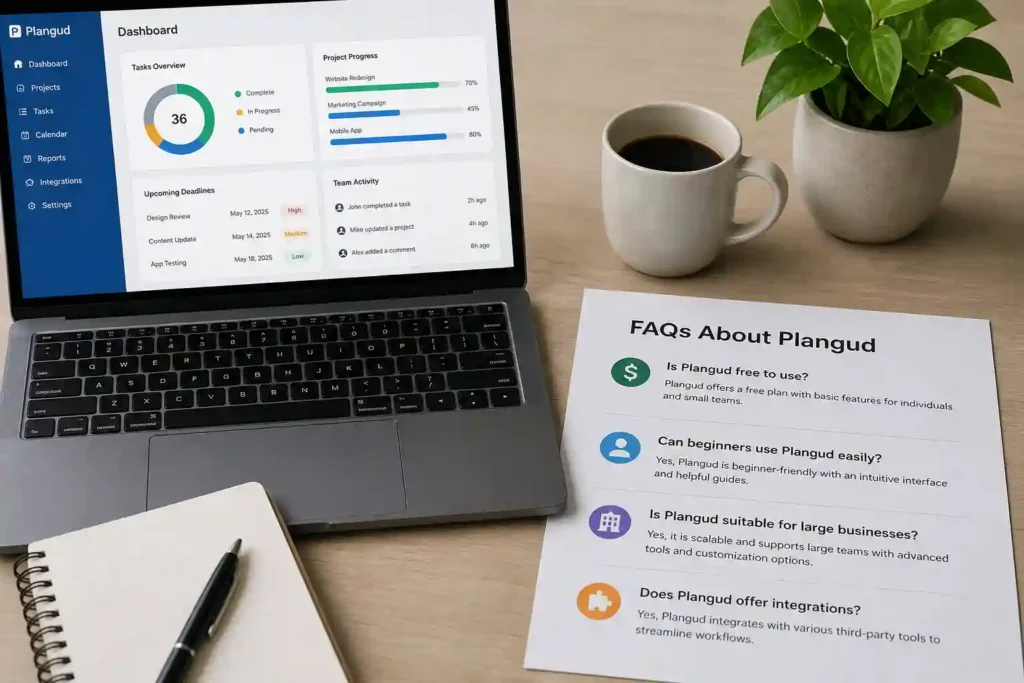
Plangud typically offers a free plan with basic features, allowing individuals and small teams to get started without any cost. However, advanced functionalities are usually included in paid plans.
Can beginners use Plangud easily?
Yes, Plangud is designed with user-friendliness in mind. Its intuitive interface and helpful guides make it easy for beginners to learn and start using the platform effectively.
Is Plangud suitable for large businesses?
Plangud is scalable and can support the needs of large businesses. Its advanced tools and customization options make it suitable for managing complex workflows and large teams.
Does Plangud offer integrations?
Yes, Plangud supports integrations with various third-party tools, allowing users to connect their existing systems and streamline workflows more efficiently.
Conclusion
Plangud is a reliable and versatile planning platform that combines security, performance, and usability to meet the needs of modern teams. Its automation features, collaborative tools, and scalability make it suitable for a wide range of use cases, from startups to enterprises. While it has minor limitations, the overall benefits outweigh the drawbacks, making it a strong choice for businesses looking to improve workflow efficiency and productivity.